
Last quarter, my team built a customer support chatbot using a SaaS-hosted agent platform to speed up delivery. We got the bot live in two weeks, but three months in, we needed to adjust its workflow to connect to our client’s internal ticketing system and restrict access to sensitive product documents only to team members on their corporate VPN. The platform’s built-in access controls didn’t support our exact VPN restriction rules, and their tooling SDK had been deprecated without warning. We realized we’d need to migrate to a self-hosted alternative, but we had no idea what hidden workloads we’d inherited from the platform that we’d have to rebuild on day one.
The first step was to audit every task the original bot handled that the platform had managed for us. We identified four core inherited workloads: contextual data access control, custom tool integrations, session persistence and compliance logging, and automated escalation workflows. Each of these had been fully abstracted by the hosted platform, so we’d taken them for granted during our initial launch. For example, the platform automatically filtered which documents the bot could pull based on user identity, but we’d never thought about how that filtering worked under the hood until we needed to adjust it to align with the client’s VPN policies.
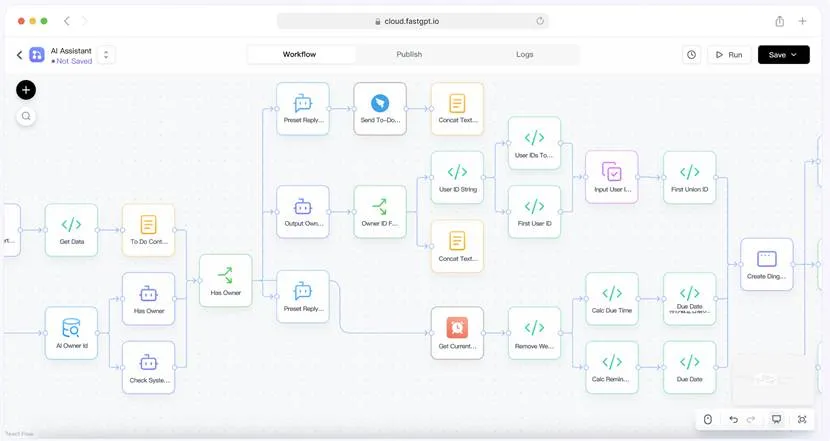
After researching comparable open-source projects, we landed on FastGPT because its modular design let us rebuild each of these four workloads without building from scratch. For data access control, we used its built-in document permission tools to tie access to corporate VPN IP ranges, which solved our immediate restriction need. For custom tooling, we added a custom API endpoint that connects directly to the client’s ticketing system, matching the functionality we’d tried to build with the deprecated platform SDK. We also set up its built-in session storage to keep chat logs within the client’s cloud account, meeting their compliance requirements for data residency. Finally, we configured its workflow builder to set up automated escalation: if a user mentioned a high-priority term like “outage” in their message, the bot would route the conversation to a dedicated Slack channel and send an alert to the support team lead.
The biggest unplanned task we faced after launch was managing the behind-the-scenes upkeep that the original platform had handled for us. We didn’t realize how much work the platform did to keep embedding models up to date, rotate API keys, and monitor for failed document syncs. We’ve since set up basic monitoring to track embedding model drift and schedule regular key rotations, but this was a workload we didn’t account for in our initial migration timeline. Even so, the migration ended up taking far less time than we’d feared, because we didn’t have to rebuild core bot functionality from the ground up.
Related posts:
 How Dechecker AI Checker Turns Awkward Drafts Into Human-Readable Content
 The Complete Guide to Using Telegram for Secure and Smart Communication
 The Chemistry Behind Firefighting Foam: How Surfactants Make Fire Suppression Work
 Dell Latitude 5540 Performance Tested: Can It Handle Your Workflow?
 Best Traction Tools for Lifted Jeeps & SUVs on the Trail
Leave a Reply