

Can’t get into your Libero Mail account? You’re not alone — and most problems have a fast fix.
Libero Mail is one of Italy’s most-used free email services. Millions of people rely on it daily. But like any email platform, it throws errors at the worst possible moments. You type in your password, hit login, and nothing happens. Or worse — you get a vague error message in Italian that you can’t fully understand.
This guide covers every common Libero Mail login problem. Each section explains what causes the issue and gives you the exact steps to fix it. No filler. No generic advice that applies to every email service on earth.
Why can’t I log into Libero Mail?
The most common causes are:
- Incorrect password
- Browser cache issues
- Libero server outages
- Inactive accounts
- Incorrect IMAP/SMTP settings
- Mobile app login errors
Libero Mail Login Problems at a Glance
- Difficulty: Easy to Moderate
- Most common cause: Incorrect password
- Fastest fix: Password reset
- Average resolution time: 5–15 minutes
- Requires contacting support: Rarely
| Problem | Solution |
|---|---|
| Wrong password | Reset password |
| Login loop | Clear cache |
| Error 403 | Recover account |
| App not working | Reinstall app |
| Outlook issues | Check IMAP settings |
Why Libero Mail Login Problems Happen in the First Place
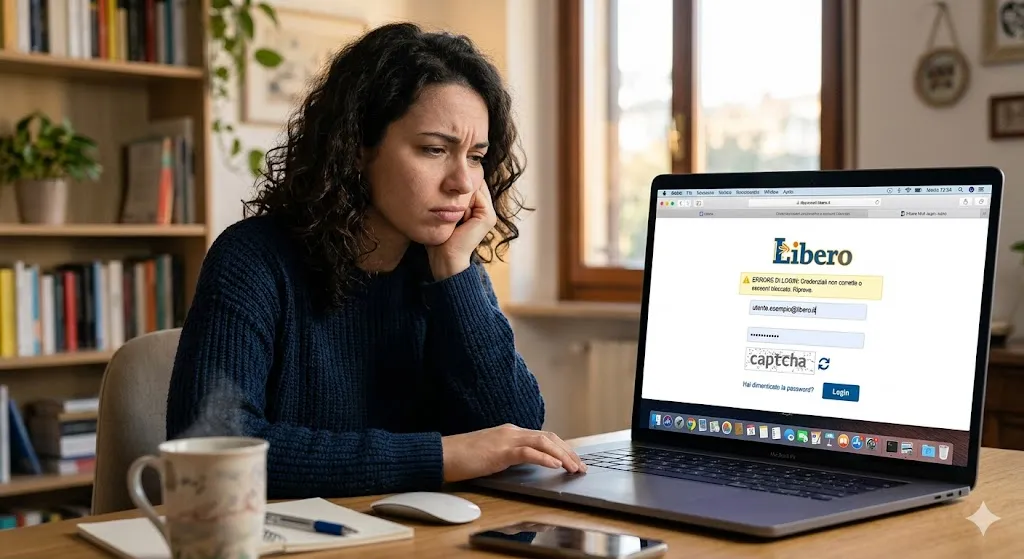
Before jumping into fixes, it helps to understand the two main categories of login problems.
The first category is on your side. Wrong password, old browser cache, a misconfigured email client, or a device-specific issue. These are the most common and the easiest to fix.
The second category is on Libero’s side. Server outages, maintenance windows, or platform-wide disruptions that affect all users. Libero.it and its sister service Virgilio.it have experienced notable outages in recent years. The major disruption in January 2023 affected both platforms simultaneously, leaving thousands of users locked out with no clear explanation.
Knowing which category your problem falls into saves a lot of wasted time.
Step One: Check If Libero Mail Is Down Right Now
This is the first thing to do before anything else. There is no point resetting your password if the servers are simply offline.
Go to downdetector.it or outagedown.com and search for “Libero.” You will see a real-time graph of reported problems. If there is a spike in reports in the last hour, the problem is on Libero’s end.
You can also check aiuto.libero.it for any official service announcements. Libero does not always communicate outages proactively, so community-reported outage sites are often faster.
If Libero is confirmed down: wait. There is nothing else you can do. Outages typically resolve within a few hours. If a disruption lasts more than 24 hours, contact Libero support directly through the form on libero.it.
If Libero’s servers appear to be running normally, your problem is on your end. Move to the next section.
Fix #1: Wrong Password or Username
This sounds obvious. But it accounts for a surprisingly large number of failed logins.
Libero Mail requires your full email address as the username — not just the part before the @ symbol. So entering “mariorossi” instead of “mariorossi@libero.it” will cause a login failure every time.
Check these things before anything else:
- Is Caps Lock on? Libero passwords are case-sensitive.
- Are you using the correct email domain? Libero accounts can end in @libero.it, @inwind.it, @iol.it, or @virgilio.it. All work with the same login page but require the correct domain to be entered.
- Are you entering a saved password that was changed on another device? Browsers often auto-fill old passwords that no longer work.
If you are unsure of your password, don’t keep guessing. Five or six failed attempts can trigger a temporary account lockout.
Fix #2: Reset Your Libero Mail Password
If your password is definitely wrong, here is the reset process.
Go to login.libero.it and click “Password dimenticata?” (Forgotten password). This link is directly below the login fields.
You will be prompted to enter your email address. After that, Libero gives you two recovery options:
Option A — Recovery email. A reset link gets sent to a backup email address you set up when you created the account. Check that inbox, including spam and junk folders.
Option B — Recovery phone number. Libero sends an SMS code to the mobile number on your account. Enter the code and you can create a new password.
If you no longer have access to your recovery email or phone number, the process becomes more complicated. You will need to contact Libero support at aiuto.libero.it and submit a manual identity verification request. This takes longer but is the only option when both recovery methods are unavailable.
Password rules to follow when creating your new one: Libero requires a minimum of 8 characters. Use a mix of uppercase letters, lowercase letters, numbers, and at least one special character. Avoid using the same password you use on other services.
Fix #3: Clear Your Browser Cache and Cookies
A corrupted browser cache is one of the most common causes of Libero Mail login loops. You enter the right credentials, the page spins, and then dumps you back to the login screen without explanation.
Here is how to clear cache in the most common browsers:
Google Chrome: Click the three-dot menu → Settings → Privacy and Security → Clear browsing data. Select “Cookies and other site data” and “Cached images and files.” Set the time range to “All time” and click Clear data.
Mozilla Firefox: Click the three-line menu → Settings → Privacy & Security → Cookies and Site Data → Clear Data. Tick both options and confirm.
Safari (Mac): Safari menu → Settings → Privacy → Manage Website Data → Remove All.
Microsoft Edge: Click the three-dot menu → Settings → Privacy, Search, and Services → Clear browsing data. Select cookies and cached files.
After clearing, close the browser completely. Reopen it and try logging in fresh. Do not use a saved password — type it manually.
Fix #4: Try a Different Browser
Sometimes the problem is the browser itself, not the cache. Certain browser extensions — ad blockers, VPN plugins, privacy shields — actively interfere with login pages.
If you normally use Chrome, try Firefox. If you use Firefox, try Chrome or Edge. Use a completely clean browser with no extensions installed.
You can also try opening Libero Mail in private or incognito mode. This disables most extensions by default. If the login works in incognito but not in your normal browser window, you have a browser extension causing the conflict. Disable extensions one by one to identify the culprit.
Fix #5: Disable Antivirus or Firewall Temporarily
Some antivirus programs — particularly older versions of Kaspersky, McAfee, and Avast — flag Libero.it’s login scripts as suspicious and block them silently. The page loads but the login process never completes.
Temporarily disable your antivirus’s web protection feature and attempt the login again. If it works, you need to add libero.it and login.libero.it to your antivirus whitelist. Re-enable your antivirus after testing.
Similarly, some corporate or school firewalls block Italian-language web services. If you are on a managed network, try logging in from a mobile connection instead.
Fix #6: Fix the “Impossibile Raggiungere il Sito” Error
This Italian error message translates to “Unable to reach the site.” It appears when your device cannot establish a connection to Libero’s servers at all.
This is different from a login failure — you are not even reaching the login page.
Try these steps in order:
1. Check your internet connection. Open another website. If that also fails, the problem is your connection, not Libero.
2. Clear your DNS cache. On Windows, open Command Prompt and type ipconfig /flushdns then press Enter. On Mac, open Terminal and type sudo dscacheutil -flushcache; sudo killall -HUP mDNSResponder.
3. Change your DNS server. Your Internet Service Provider’s DNS might be failing to resolve libero.it. Switch temporarily to Google’s DNS (8.8.8.8) or Cloudflare’s DNS (1.1.1.1). You can change DNS settings in your router or directly on your device’s network settings.
4. Try the alternative URL. Some users find that while www.libero.it fails, going directly to login.libero.it or mail.libero.it works. Try both.
5. Disable your VPN. If you use a VPN, some servers route through IP addresses that Libero has flagged or rate-limited. Disconnect the VPN and try again.
Fix #7: Inactive Account Lockout
Libero Mail deactivates accounts that are not accessed for an extended period. If you have not logged in for many months, your account may have been suspended or even deleted.
The timeline works roughly like this: after a period of inactivity, Libero restricts access to the mailbox. An account deleted for inactivity can potentially be recovered if you log in within 180 days. After that window closes, the account is permanently deleted and cannot be retrieved.
If your account has been suspended for inactivity, try the password reset process first. If the reset confirmation goes through and you can create a new password, access is likely restorable. If the reset process says the account does not exist, it has been permanently deleted.
To avoid this happening again: log into your Libero Mail account at least once every few months, even if you only use it occasionally.
Fix #8: Libero Mail Not Working on iPhone or Android
Mobile login problems are slightly different from browser problems. The Libero Mail app has its own quirks.
Update the app first. An outdated version of the Libero Mail app often fails to connect after server-side updates. Go to the App Store or Google Play Store and check for a pending update.
Check your mobile data or Wi-Fi. Switch between Wi-Fi and mobile data to see if one works while the other doesn’t. Some home routers have DNS issues that affect specific services.
Delete and reinstall the app. This clears all local cache and configuration data in one step. It takes a few minutes but solves persistent app login loops more reliably than any other mobile fix.
Force-close the app properly. Swiping away an app doesn’t always fully close it. On iPhone, swipe up from the bottom and swipe the Libero app card upward. On Android, tap the recent apps button and swipe it away. Reopen from scratch.
Fix #9: Libero Mail Not Working in Outlook or Thunderbird
If you access Libero Mail through a third-party email client like Outlook, Thunderbird, or Apple Mail, login failures are usually a configuration problem. The server settings need to be exactly right.
Here are the correct settings:
Incoming mail — IMAP (recommended): Server: imapmail.libero.it Port: 993 Encryption: SSL/TLS
Incoming mail — POP3: Server: popmail.libero.it Port: 995 Encryption: SSL/TLS
Outgoing mail — SMTP: Server: smtp.libero.it Port: 465 (primary) or 587 (alternative) Encryption: SSL/TLS Authentication: Required — use your full Libero email address
A few common mistakes when setting up email clients:
Using only your username instead of your full email address in the authentication field is the most frequent error. Always enter the complete address including @libero.it or your specific domain.
If your ISP blocks port 465, switch to port 587. Some networks restrict outgoing mail ports.
If you have two-factor authentication enabled on your Libero account, some older email clients cannot handle it directly. You may need to generate an app-specific password from your Libero account security settings.
Fix #10: Two-Factor Authentication Problems
Libero Mail supports two-factor authentication (2FA) as an added security layer. It is worth using — but it can create login problems when your authenticator app or phone number is no longer accessible.
If you are locked out because of 2FA, go to aiuto.libero.it and navigate to the account recovery section. Libero requires identity verification to bypass 2FA. You will need to provide account details and may be asked for documentation.
If you are setting up 2FA for the first time and having trouble, make sure you are using an up-to-date authenticator app (Google Authenticator, Authy, or Microsoft Authenticator all work). Scan the QR code carefully — even a slight scan error produces wrong codes.

Error Codes in the Libero Mail App: What They Mean
The Libero Mail mobile app returns numeric error codes that are not always self-explanatory. Here is what the most common ones mean:
Error 403: Access forbidden. This usually means your account is temporarily restricted. Try the password reset process.
Error 427 / 495 / 919: These are storage or memory-related errors on the app side. Stop the installation or operation, check available storage on your device, and retry. If the app is already installed, uninstall and reinstall it.
Error 927: A server-side communication error. This is typically temporary. Wait a few minutes and try again. If it persists more than a few hours, check if Libero is experiencing a broader outage.
“552 – Virus Detected”: This appears when you try to send an email with an attachment that Libero’s security system has flagged. Remove the attachment and send the email without it. Use Libero Drive to share files as a link instead.
When Nothing Works: Contacting Libero Support
If you have worked through every fix in this guide and still cannot access your account, contacting Libero directly is the next step.
Go to aiuto.libero.it and scroll to the contact form. When you submit your request, include:
- Your full Libero email address
- The device and operating system you are using
- The browser or app version
- The exact error message you are seeing
- How long the problem has been happening
The more detail you provide, the faster they can help. Vague requests (“my email doesn’t work”) take longer to resolve than specific ones (“I receive error 427 when logging in on Android 14 using the Libero Mail app version 3.2.1”).
Response times vary. If your issue is account access rather than a technical bug, expect a slower process because identity verification is involved.
How to Prevent Libero Mail Login Problems in the Future
Fixing the current problem is only half the job. Here is how to avoid going through this again:
Set up recovery options now. If your account already has a recovery email and phone number, verify that both are still current. If you have changed your phone number in the past year, update it in your Libero account settings before you need it.
Log in regularly. Even if you rarely use Libero Mail, log into the webmail at least once every few months. This prevents inactive account suspension.
Keep your browser updated. Outdated browsers increasingly struggle with modern login pages. Chrome, Firefox, Edge, and Safari all have auto-update features — make sure yours is on.
Write your password down somewhere safe. A password manager is ideal. A physical notebook stored securely is fine. Relying on browser auto-fill alone is the most common way people lose access when they switch devices.
Empty your spam and trash folders regularly. Libero Mail accounts have storage limits. When a mailbox is full, some functions — including login-triggered processes — can behave unexpectedly. Keep your inbox clean.
Libero Mail vs Gmail Login Issues
Both Libero Mail and Gmail can experience login problems, but the causes are often different. Gmail’s login system is heavily integrated with Google’s security tools, which means users are more likely to encounter issues related to two-factor authentication, suspicious login detection, or account verification requests.
Libero Mail login problems are more commonly linked to browser cache issues, incorrect email settings, inactive accounts, or temporary service disruptions. Users may also encounter difficulties when configuring Libero Mail in third-party email clients such as Outlook or Thunderbird.
Another key difference is account recovery. Gmail provides multiple recovery methods and automated security checks, while Libero Mail may require manual verification if recovery information is outdated or unavailable.
For most users, both services are reliable, but if you’re experiencing repeated login problems with Libero Mail, following the troubleshooting steps in this guide will usually resolve the issue quickly.
Quick Troubleshooting Checklist
Use this before spending more time on anything else:
- Confirmed Libero servers are online (checked outage site)
- Entered full email address including @libero.it or correct domain
- Tried manually typing password instead of using autofill
- Cleared browser cache and cookies
- Tried a different browser
- Tried incognito/private mode
- Disabled browser extensions temporarily
- Checked antivirus and firewall settings
- Tried an alternative URL (login.libero.it)
- Tried from a different device or network
- Attempted password reset via “Password dimenticata?”
- Checked if account was deactivated due to inactivity
If you have ticked every box and still cannot get in, contact Libero support with all the details listed above.
Libero Mail login problems are frustrating — especially when the platform gives you error messages without clear explanations. But the vast majority of access issues come down to a handful of fixable causes: a changed password, a stale browser session, a misconfigured email client, or a temporary server issue. Work through this guide systematically and you will get back into your inbox.
Frequently Asked Questions
Libero Mail may not be working due to a temporary server outage, maintenance, internet connection issues, browser problems, or incorrect login credentials. Check outage monitoring websites and try logging in from another browser or device.
You can recover your account by selecting “Password dimenticata?” on the Libero Mail login page. Follow the instructions to reset your password using your recovery email address or phone number.
Libero Mail may restrict or delete accounts that remain inactive for an extended period. If an account has been inactive for too long, recovery may only be possible within a limited timeframe before permanent deletion.
The recommended IMAP server is imapmail.libero.it, port 993, with SSL/TLS enabled. For outgoing mail, use smtp.libero.it on port 465 or 587 with authentication enabled.
Repeated login requests are often caused by expired browser cookies, corrupted cache files, browser extensions, incorrect passwords, or security settings that prevent your session from being saved properly.
This guide is accurate as of 2026. Libero Mail settings and features may change. Always verify current server settings at aiuto.libero.it if you experience issues not covered here.
Related posts:
 Voyage Through Time: When will Time Travel be Possible
 Water Damage Restoration Service Lanham: Fast & Efficient
 What Does C3PAO Mean for the Future of Risk Management?
 Creating Stunning Face Swap Videos with AI: How to Use Face Swap Video Tools for Free
 How Dechecker AI Checker Turns Awkward Drafts Into Human-Readable Content
Leave a Reply