
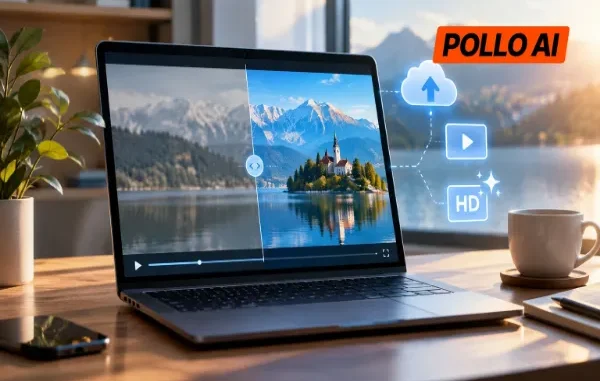

A blurry product clip, grainy recording, or washed-out video doesn’t always need a full editing setup. With Pollo AI Video Enhancer, users can enhance video quality, clean up existing footage, and download the result without installing desktop software.
What Can Pollo AI Video Enhancer Improve?
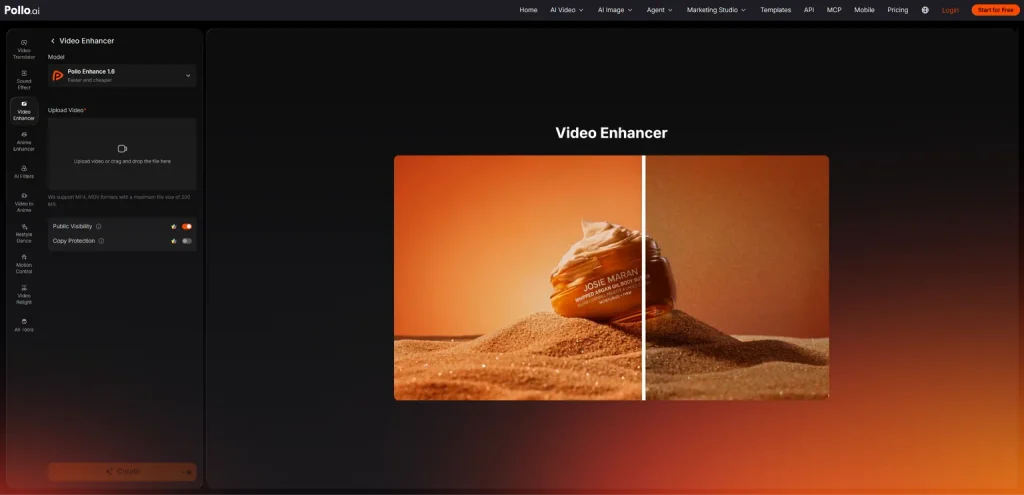
Pollo AI Video Enhancer is an online tool that uses AI to improve existing video footage. It works on sharpness, noise, brightness, color, and contrast, helping low-quality clips look clearer without manually correcting every frame.
For blurry footage, it can bring out more visible details in faces, products, and background objects. It also reduces grain and compression artifacts, which are common in older recordings and videos that have been repeatedly uploaded or shared. If a clip looks dull or unevenly lit, its color and contrast adjustments can make the image look more balanced.
This is useful for more than just fixing old videos. Creators can clean up vlogs, interviews, and Shorts before publishing, while e-commerce sellers can make product details and packaging easier to see in promotional clips. It can also help improve recorded lessons and family videos that have lost some of their original clarity.
Pollo AI supports enhanced HD output and resolutions up to 4K when available under the selected workflow and plan. Its Video Enhancer focuses on overall visual quality, while the separate Video Upscaler is better suited to projects where increasing resolution is the main goal.
How to Enhance Video Quality Online with Pollo AI
The process takes place entirely in a browser. There’s no need to download an editor or spend time adjusting individual frames.
Step 1. Open Pollo AI Video Enhancer
Visit Pollo AI Video Enhancer at https://pollo.ai/video-enhancer and open the enhancement tool. It works online, so users can get started without installing additional software.
Step 2. Upload the Video
Upload the footage that needs improvement. Pollo AI supports common formats such as MP4, MOV, and MKV.
This could be a product demonstration with unclear details, a social media clip with visible grain, or an older recording that looks faded. Once the file is uploaded, the AI can begin analyzing the footage.
Step 3. Let AI Enhance and Download the Result
Allow Pollo AI to process the video. It automatically works on details, noise, color, and contrast to produce a cleaner-looking result.
When processing is complete, download the enhanced video or share it online. The finished clip can then be used in social media posts, product promotions, tutorials, or personal archives.
Tips for Getting Better Enhancement Results
Start with the least-compressed version. An original camera recording or exported file usually contains more detail than a copy downloaded from social media. AI can improve visible quality, but it cannot reliably restore information that has been completely lost.
Know what needs fixing. Look at the footage before uploading it. Blurry edges, grainy shadows, and faded colors are different problems, so check whether the result addresses the issue that matters most.
Don’t chase maximum sharpness. Overly sharp footage can make skin, product surfaces, and fine edges look artificial. A natural-looking improvement is usually better than an aggressive edit.
Check the video on the screen where it will be watched. A TikTok clip viewed on a phone has different requirements from a tutorial shown on a larger display. Judge the result at its intended viewing size.
Keep the original file. Saving a separate copy makes it easier to compare results or try another enhancement without losing the source footage.
Can Pollo AI Enhance Video Quality for Free?
Pollo AI offers a free trial of its Video Enhancer, so users can test the online process before deciding whether a paid plan is worthwhile.
Free access does not mean unlimited processing, though. Usage allowances and higher-resolution options, including 4K, depend on the current plan and available workflow. Users working with longer videos or multiple files should check their available credits and plan limits first.
For occasional edits, such as cleaning up a product clip, social media post, or personal recording, the free trial is a straightforward way to see whether the results meet their needs.
Conclusion
There’s no need to install a full video editor just to clean up a blurry or grainy clip. Pollo AI Video Enhancer handles the process online, helping users improve details, reduce noise, and balance colors before downloading their footage.
For anyone looking to enhance video quality without adding another desktop application, Pollo AI Video Enhancer is worth trying.
Related posts:
 The Complete Guide to Using Telegram for Secure and Smart Communication
 The Chemistry Behind Firefighting Foam: How Surfactants Make Fire Suppression Work
 Dell Latitude 5540 Performance Tested: Can It Handle Your Workflow?
 Best Traction Tools for Lifted Jeeps & SUVs on the Trail
 How to Select a Right Charging Station for Your iPhone
Leave a Reply