
Video has become the dominant language of the internet, with brands, educators, and creators all racing to publish more — and better — content. Yet traditional video production remains expensive, slow, and technically demanding for most people.
That’s exactly why an AI Video Maker has become one of the most sought-after tools in 2026. The right AI video platform doesn’t just save time — it fundamentally changes what’s possible for solo creators, small businesses, and growing teams.
The Real Pain Points of Modern Video Creation
For most people, video production comes with a familiar and frustrating set of blockers that prevent great ideas from ever reaching an audience:
- Time investment: Writing scripts, recording footage, editing timelines, and syncing audio can consume days for a single video
- High costs: Hiring videographers, voice artists, and editors — or licensing music — adds up quickly for small teams
- Steep technical barriers: Professional editing software has a learning curve that intimidates most beginners
- Consistency challenges: Maintaining visual style and character consistency across multiple videos requires significant discipline and skill
- Scalability limits: Producing high-volume content for social media, ads, and e-learning is nearly impossible without a dedicated production team
These pain points are real blockers — not just inconveniences — and they’re exactly what modern AI tools are designed to eliminate.
Core Features of AI Video Maker
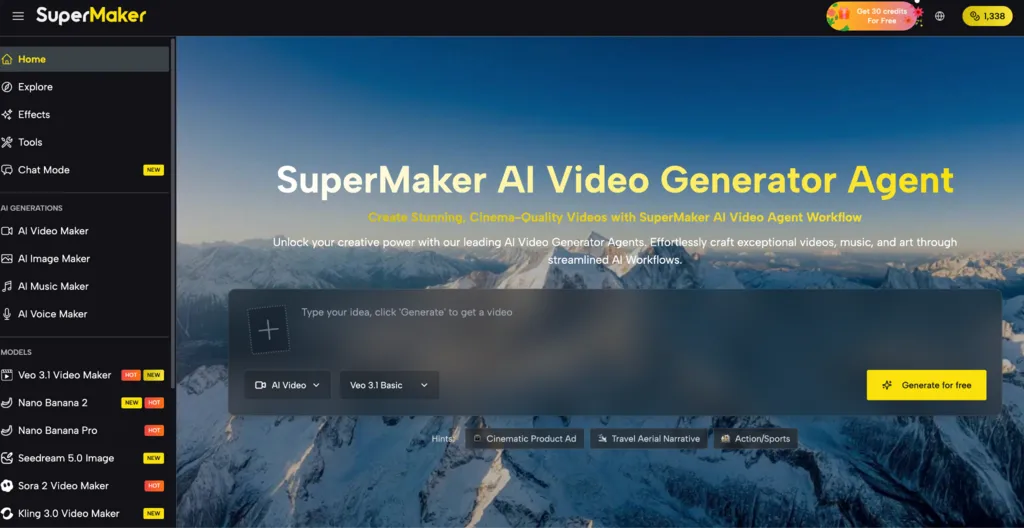
Not all AI video platforms are created equal. The most powerful tools go far beyond simple clip generation and offer a complete, end-to-end production workflow. Supermaker AI Video Maker is one of the most comprehensive solutions available today, combining video generation, audio production, image creation, and project management into a single unified platform.
Text-to-Video and Image-to-Video Generation
At the heart of SuperMaker is its Text-to-Video and Image-to-Video engine. You describe a scene in plain language, or upload a static image, and the AI transforms your input into a dynamic, high-resolution video sequence. This removes the single biggest barrier to video production: the need for raw footage. Whether you’re building a product demo, an explainer video, or a short film, you start from ideas — not a camera.
Integrated Audio: Voice, Music, and Sound Design
What separates professional video from amateur content is almost always the audio. SuperMaker addresses this with three fully integrated tools:
- AI Voice Maker: Generates natural-sounding voiceovers in multiple languages and styles directly from your script
- AI Music Maker: Creates original, royalty-free background music tailored to the mood and tempo of your video
- Synchronized Sound Design: Adds ambient audio and impactful sound effects that are automatically aligned with your visuals
This all-in-one audio suite means you never need to license third-party music or hire a voice actor for standard productions.
Customizable Workflows and Asset Management
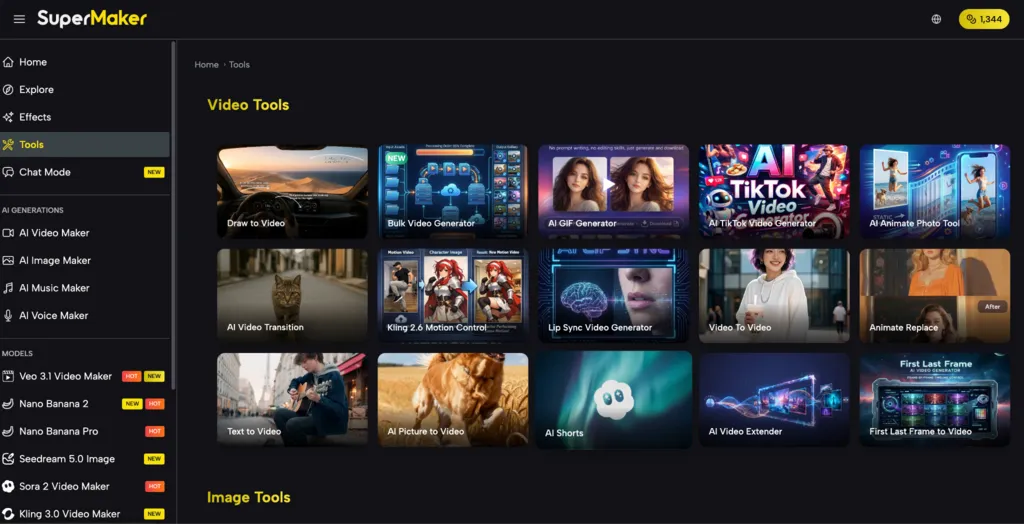
For power users and teams, SuperMaker’s Customizable AI Workflows allow you to automate multi-step production sequences — generate a script, build a storyboard, produce visuals, add voiceover, compose music, and export — all in one repeatable pipeline. The Assets Library keeps every video, image, audio track, and script organized with version control, making it easy to reuse elements across projects and collaborate efficiently.
How to Create Your First AI Video
Getting started with SuperMaker requires no prior editing experience. The entire process is broken into four clear phases — from your first idea to a finished, export-ready video.
Step 1: Describe or Upload Your Content
Enter a detailed text prompt to use the Text-to-Video engine, or upload one or more images to activate the Image-to-Video workflow. The more specific your prompt — including scene setting, mood, and pacing — the more accurate and polished the AI output will be.
Step 2: Tailor Your Video Settings
Before generating, configure the key output parameters:
- Resolution — choose HD or higher depending on your publishing platform
- Aspect ratio — 16:9 for YouTube, 9:16 for TikTok/Reels, 1:1 for social feeds
- Visual style — cinematic, animated, documentary, product-focused, and more
Step 3: Generate with One Click
Hit Generate and let SuperMaker’s AI engine run. Depending on complexity, your video is ready in seconds to minutes — no rendering queue, no manual timeline work. The AI handles scene transitions, motion, and visual coherence automatically.
Step 4: Enhance and Export
Once your base video is ready, you can:
- Layer in an AI voiceover using the built-in AI Voice Maker
- Add original background music generated by the AI Music Maker
- Sync sound effects automatically to on-screen action
- Download the final MP4 or save the project to your Assets Library for future reuse
The optional AI Chat Interface lets you refine any step conversationally, without starting over from scratch.
Choosing the Right AI Video Tool for Your Needs
| Tool | Core Strength | Best For | Free Plan |
|---|---|---|---|
| SuperMaker AI | All-in-one: video, audio, image, workflow automation | Creators, marketers, filmmakers | Yes — no login required |
| Runway | Advanced video editing and effects | Professional editors | Limited |
| Synthesia | AI avatar-based presenter videos | Corporate training | Limited |
| Pictory | Blog-to-video repurposing | Content marketers | Yes |
| Sora (OpenAI) | High-fidelity short clip generation | Experimental creators | Limited |
What distinguishes SuperMaker is breadth: competitors often excel at a single task (Synthesia for avatar videos, Pictory for text repurposing), but none offer a complete pipeline from scriptwriting to synchronized audio export in one place. SuperMaker also provides a free tier accessible without mandatory sign-up, significantly lowering the barrier for first-time users.
Start Creating
The gap between a great idea and a polished, published video has never been smaller. In 2026, the best AI Video Maker tools put cinema-quality production within reach of anyone with a laptop and a story to tell. If you’re ready to experience what a true all-in-one production platform feels like, try SuperMaker AI for free today — no credit card or technical experience required. Visit SuperMaker AI to start your first project and see what’s possible when AI handles the hard work for you.
Related posts:
 Water Damage Restoration Service Lanham: Fast & Efficient
 Can Treasury Management Software Make Borrowing Safer and Smarter?
 Avatar vs. Human: Who’s Better at Explaining Your Product in 30 Seconds?
 AI Photo Generators Elevate Your Editing Without Quality Loss
 How CMM Inspection Improves Efficiency in Production Lines
Leave a Reply