Creative projects often begin with limited resources. A small business may need product visuals before it can afford a professional photoshoot, a student might want an illustration for a presentation, or a blogger may need artwork that makes an article easier to understand. In these situations, generating images with accessible tools can help turn early ideas into something concrete.
An ai image generator can make visual experimentation easier, but getting useful results requires more than finding a service that costs nothing. Creators need to understand their project requirements, make thoughtful use of available generations, and recognize when an image needs further editing. A little planning can make a limited allowance go much further.
Plan the Image Before Spending a Generation
When a free service limits how many images you can create, every attempt becomes more valuable. Instead of entering a vague prompt and hoping for a suitable result, spend a few minutes deciding what the image should accomplish. Imagine creating a header illustration for an article about indoor gardening. You could request a collection of plants, but that description leaves many decisions unresolved. A more useful direction might specify a sunlit apartment corner, several plants at different heights, simple furniture, and open space on one side for a headline.
This description establishes the subject, setting, arrangement, and intended use. It gives the image-making system a clearer starting point and gives you a more specific standard for reviewing the result. Before generating an image, identify the most important visual details and remove anything that does not support the purpose. A focused prompt is often easier to evaluate than a long list of unrelated instructions.
Make Each Attempt Answer a Question
Repeated generation becomes wasteful when every attempt changes several things without a clear reason. A better method is to treat each image as an experiment. Suppose your first result has the right subject but looks too dark. Keep the subject and composition largely unchanged, then adjust the lighting description. If the next image has suitable lighting but feels crowded, focus on spacing instead.
This approach helps you understand what improves the result. It also makes successful prompts easier to reuse in future projects. A simple record can include:
- The original prompt.
- The main problem was noticed in the result.
- The adjustment made for the next attempt.
- The reason the revised image was more or less effective.
These notes need not be complicated. Even a short document can prevent you from repeating unsuccessful experiments and help you develop a more reliable creative process.
Understand What Free Access Actually Includes
The best free ai image generator for a particular project is not necessarily the one that produces the most dramatic sample image. Practical access matters just as much. Some services provide a limited number of credits, while others restrict image dimensions, processing speed, advanced controls, or downloads. Certain features may require a paid plan, and commercial permissions can vary.
Before starting a project, check the current limits and determine whether they fit your needs. If you need only a few concept images, a limited allowance may be enough. If you expect to produce dozens of finished assets, generation limits and editing requirements deserve more attention. Creators can use Dreamina to explore visual ideas and test possible creative directions. Before choosing any service for regular work, review its available features and terms to understand what the particular project will require.
Choose a Style That Matches the Message
A common mistake is selecting a visual style simply because it looks attractive. The better question is whether that style helps communicate the intended message. A financial education article might benefit from a clean, uncomplicated illustration. A children’s story could call for expressive characters and imaginative environments. A product concept may need realistic materials and carefully arranged lighting.
Think about the audience as well. A busy composition might appeal to viewers looking for artistic detail, but it could make an instructional graphic harder to understand. Similarly, highly realistic imagery may not be the best choice when a simple diagram would explain the idea more clearly. Use the purpose of the image to guide decisions about color, detail, atmosphere, and composition. This keeps the creative process focused on communication rather than decoration.
Know When Editing Is Better Than Regenerating
Not every imperfect image needs to be discarded. Sometimes the overall composition is useful, but one small element requires attention. Cropping can improve the focal point. Adjusting brightness may make the subject easier to see. Removing a distracting background detail or adding text in a separate design application can turn a rough concept into a more practical asset.
However, editing is not always the right solution. If the main subject is distorted, the image communicates the wrong idea, or important objects are missing, starting with a new prompt may save time. Compare the effort involved in both options. The aim is to achieve a suitable result efficiently, not to preserve every generated image regardless of its quality.
Build a Small Library of Successful Results
Useful images and prompts created with the best free ai image generator can become valuable resources for future work. Organize saved assets by project, subject, or intended use, and include a short note describing why each image was kept. For example, a folder might contain website illustrations, product concepts, social media graphics, and presentation visuals. Prompt notes can record preferred lighting, color combinations, and composition choices.
A reusable library should not mean recycling the same image everywhere. Instead, it provides a reference for techniques that worked well. You can adapt those ideas to new subjects while creating fresh visuals for each project. Before publishing, inspect the final image for distorted details, misleading representations, and unsuitable text. Also verify that the source material and generated output can be used for the intended purpose under the applicable terms.
Final Thoughts
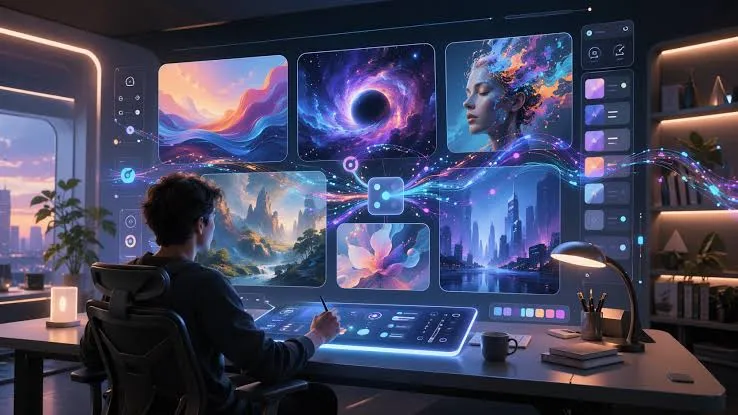
Free image creation can offer meaningful creative flexibility when it is approached with a plan. Clear prompts, purposeful experiments, suitable visual styles, and careful editing help creators make better use of limited resources. Rather than chasing endless variations, focus on understanding what each attempt contributes to the project. With a thoughtful workflow, even basic access can provide a useful starting point for developing original visual ideas.
Frequently Asked Questions
Plan the composition before generating, describe the most important details clearly, and change one major element at a time when refining a result. This reduces unnecessary attempts.
Look at output quality, generation limits, available dimensions, editing controls, download options, and usage terms. The right choice depends on the project’s requirements rather than price alone.
Yes. Depending on the image and your software, you can crop it, adjust colors, add typography, or correct minor issues. Significant problems with the main subject may require generating another version.
No. Permissions differ between services and may depend on the plan, source material, and applicable law. Review the current terms before using an image for a business or client.
Prompt notes help you remember how a result was produced, avoid repeating failed attempts, and adapt successful visual approaches to future projects.
Related posts:
 How Dechecker AI Checker Turns Awkward Drafts Into Human-Readable Content
 The Complete Guide to Using Telegram for Secure and Smart Communication
 The Chemistry Behind Firefighting Foam: How Surfactants Make Fire Suppression Work
 Dell Latitude 5540 Performance Tested: Can It Handle Your Workflow?
 Best Traction Tools for Lifted Jeeps & SUVs on the Trail
Leave a Reply