

Audio files frequently have parts that users desire to delete, cut or acquire for a particular purpose. Be it a ringtone, a podcast clip, a voice recording bit, or a cut music track, an effective MP3 cutter can make it easy. Rather than downloading a complicated application, most users are turning to an online MP3 cutting tool that is run in a standard browser.
The use of modern audio editing software allows one to easily cut files and maintain sound quality. They also facilitate instant editing of desktops, tablets, and mobile gadgets. In need of a good tool, then the MP3 Cutter online tool is a quick route to editing audio files, making custom cuts and saving edited music in just a few minutes. Knowing the operation of these tools can enable you to get professional results without any technical expertise.
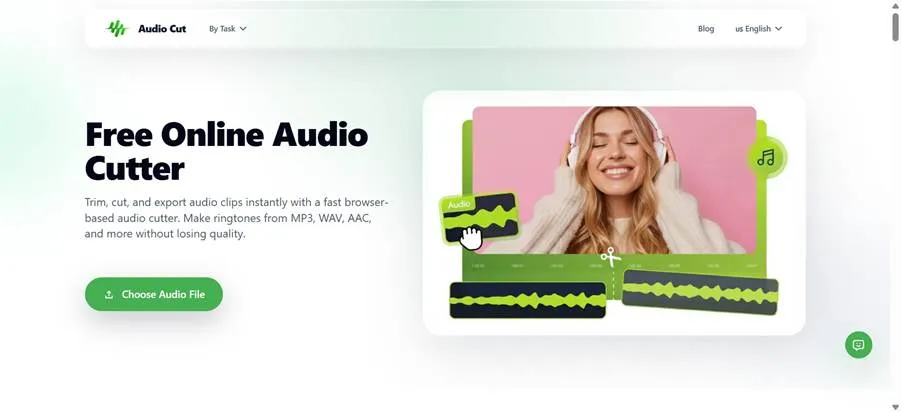
Advantages of an online MP3 Cutting Tool
A web-based MP3 cutting tool has the convenience which desktop software cannot always offer. Because the editing process is performed in a browser, one does not have to install software and is not bothered with software updates. It saves storage and time and allows editing audio to take place on virtually any device.
The other significant benefit is convenience. The majority of the tools have visual waveform editing and allow the user to mark a specific starting and finishing point of a clip. This simplifies the process of cutting music, podcasts, interviews, and voice recordings. Besides, browser-based tools are also good when one wants to make a quick edit since one can post files, edit and download files within minutes.
The original sound quality is also preserved by many online editors, so that the end file will have a clear and professional sound. Online solutions are a viable substitute for sophisticated audio editing software when fast and efficient editing of audio is required.
How to Cut MP3 Files Online Without Losing Quality
Upload Your MP3 File
Begin by uploading your audio file to MP3 Cutter. The drag-and-drop upload is supported by most online tools and is thus fast and convenient. After uploading the file, you will see a waveform that enables you to know the part of the sound that you want to cut.
Select the Section You Need
The start and end markers will help you pick the specific section of the audio you want to retain. It doesn’t matter whether you are editing a song, podcast, or voice record: an accurate choice contributes to a better end result.
Preview and Save
You can preview the clip to ensure that all sounds are correct before exporting. When you are ready, save the file. A useful tool will assist users in knowing how to cut the MP3 files online without compromising quality by retaining the original sound to the maximum.
How to Cut an Audio File for Ringtone Creation
Pick the Best Part of the Audio
To get to know how to cut an audio file in order to create a ringtone, the first step is to identify the part of the song that is most familiar. A lot of users select a chorus or hook, or a favourite audio track.
Trim the Audio to the Right Length
The longest ringtones are 20-40 seconds. Move the start and end points to produce a brief and clean clip that is easily delivered on mobile devices.
Preview and Download
Test the ringtone prior to saving it to make sure that it starts and ends without difficulties. After you are satisfied with the output, you can download this file and make it your own ringtone.
Best Tool to Cut and Split MP3 Files Online
The selection of the most appropriate tool to cut and split MP3 files is based on various factors such as ease of use, accuracy of editing, speed and preservation of audio quality. Solutions that do not have to be installed and have a simple editing interface are usually favoured among users. Browser-based editors have gained popularity since it enables users to work anywhere without having to download software. The editing experience is enhanced by such features as visualising waveforms, having accurate trimming control, and fast exporting.
The AudioCut MP3 Cutter is aimed at making audio trimming as easy as it can be without compromising the quality of the file. It facilitates the fast editing processes that enable users to make clips on music, podcasts, presentations, social media content, and personal projects. An effective web-based audio editor can help save a lot of time to trim audio files, whether one is a beginner or a professional user.
Can You Cut Large MP3 Files Online?
Yes, it can be done; you can cut large MP3 files online just with the help of modern browser-based methods of editing. Podcasts, recorded meetings, long music tracks, interviews and other large files usually need trimming before sharing or publication.
Online editors make this process even easier as the user can post files, navigate the waveforms and choose only the parts he or she needs. This eliminates the need to process entire recordings manually. Time can be saved in a big way by enabling the handling of big files in an efficient manner for content creators and professionals. When selecting a tool, it is advisable to find one with stable functionality, responsive editing tools, and the ability to work with multiple audio lengths. A reliable MP3 cutter can enable users to handle bigger recordings without compromising on editing accuracy and sound quality.
Conclusion
An MP3 cutter is a good tool when one requires cutting, editing, or removing parts of the audio files. You need to make a ringtone, cut down a podcast, trim a voice recording, or chop huge MP3 files. International web-based solutions can simplify and make the task quick. By using a trusted online MP3 cutting tool, users can quickly edit audio while maintaining sound quality. Apps like the AudioCut MP3 Cutter offer a convenient method of handling audio files and composing professional-like expressions without the need to install complicated software.
Related posts:
 Voyage Through Time: When will Time Travel be Possible
 Water Damage Restoration Service Lanham: Fast & Efficient
 What Does C3PAO Mean for the Future of Risk Management?
 Creating Stunning Face Swap Videos with AI: How to Use Face Swap Video Tools for Free
 How Dechecker AI Checker Turns Awkward Drafts Into Human-Readable Content
Leave a Reply