
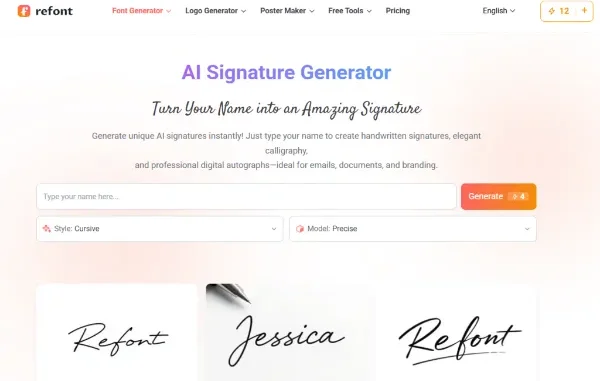
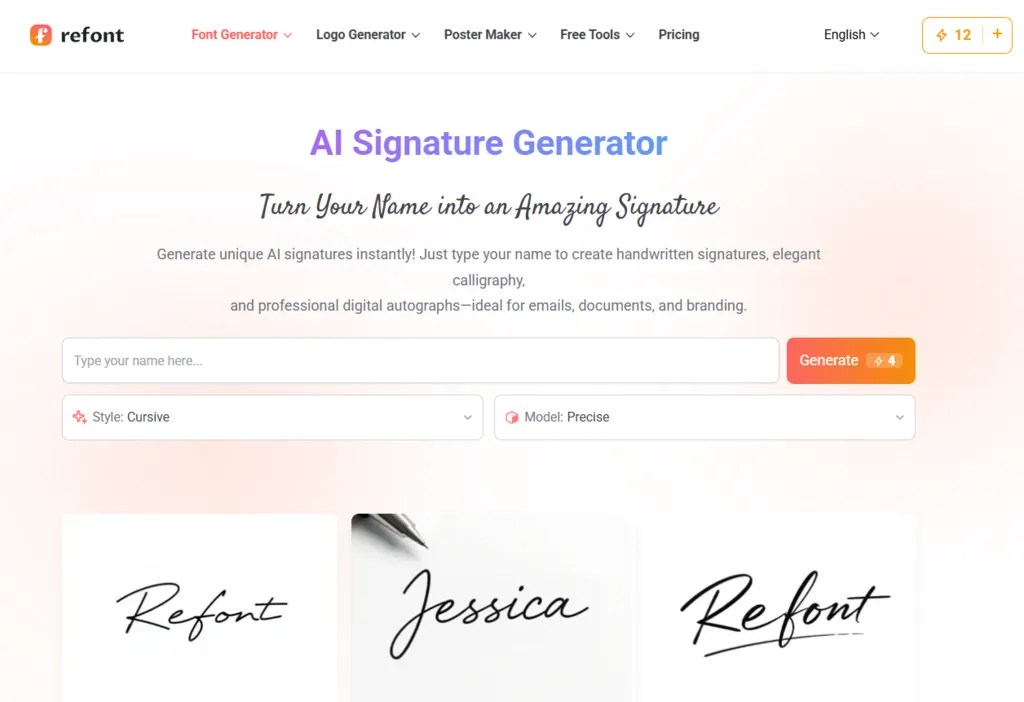
In the visually-driven digital landscape of 2026, content creators face a persistent and frustrating paradox. On one hand, the need to share high-quality visual content on platforms like Instagram, Pinterest, and Behance is essential for growth and brand recognition. On the other hand, the ease with which digital assets can be “scraped,” reposted without credit, or outright stolen has reached an all-time high. For photographers, digital illustrators, and social media influencers, the solution has traditionally been the “watermark.” However, standard watermarks often present a new problem: they are frequently ugly, intrusive, and end up ruining the very aesthetic that the creator worked so hard to achieve.
The “ugly watermark” syndrome usually manifests as a bulky, semi-transparent block of Arial or Times New Roman text slashed across the center of a masterpiece. It protects the image, but it also destroys the user experience and lowers the perceived value of the work. To combat this, elite creators are moving away from generic text overlays and adopting a more sophisticated approach. By utilizing a high-fidelity signature generator, creators can develop a personalized, stylish mark that feels like a natural “artist’s touch” rather than a digital barrier.
Why Aesthetic Protection Matters for Content Creators
When an artist signs a physical canvas, it isn’t considered a distraction; it is considered a mark of authenticity and a finishing touch that adds value. In the digital world, your watermark should function exactly the same way. A watermark is not just a theft-prevention tool; it is a branding opportunity.
If you are an influencer building a curated lifestyle brand, every pixel on your feed matters. A clunky watermark signals a lack of design sensitivity. Conversely, a watermark created through a professional signature generator—specifically one that mimics handwriting or high-end calligraphy—integrates seamlessly into the composition of the photo. It tells the viewer that the creator cares about the details, from the first shutter click to the final digital signature. This attention to detail is a core component of building Authoritativeness and Trustworthiness (E-E-A-T), showing that you are a professional who treats their digital presence with the same respect as a traditional gallery artist.
The Technical Shift: From Text Blocks to Elegant Signatures
The primary reason many creators settle for bad watermarks is the difficulty of creating a good one. Hand-drawing a signature on a tablet can be inconsistent, and hiring a graphic designer for a single personal mark is often an unnecessary expense for growing influencers. This is where the efficiency of an AI-powered signature generator changes the workflow.
By using a signature generator, creators can experiment with dozens of styles—from “minimalist chic” to “expressive calligraphy”—in seconds. These tools provide the high-resolution, transparent PNG files required to overlay a mark onto a photo without the dreaded “white box” effect. This technical precision allows the watermark to sit in the corner of a landscape or along the edge of a portrait, protecting the intellectual property while remaining visually subordinate to the art itself.
Strategically Placing Your Mark for SEO and Brand Recognition
As a GA4 and SEO expert, I often analyze how visual content drives referral traffic. When your art is shared or “pinned,” your watermark serves as a permanent backlink to your brand. If someone sees your work on a third-party site and loves the aesthetic, a legible and stylish signature provides the “search intent” they need to find you.
However, from an SEO and user engagement perspective, the placement of the mark is crucial.
- Corner Placement: Ideal for maintaining the focal point of the image.
- Low Opacity: A signature created by a signature generator should be visible but not dominant. Aim for 30-50% opacity.
- Consistency: Using the same signature across all platforms helps the “Google Image Search” algorithms and users associate a specific visual style with your name.
Solving the Pain Point of Image Theft
We must address the elephant in the room: image theft. Most “thieves” on social media are looking for low-hanging fruit. They want clean images they can pass off as their own. A generic text watermark is easily cropped or “content-aware filled” out. However, a stylized signature that is integrated into the flow of the image is much harder to remove without leaving obvious digital artifacts.
When you use a to create a custom mark, you are essentially creating a unique vector path. Because it doesn’t follow standard font shapes, it is more difficult for basic AI-removal tools to cleanly erase it. This adds a layer of “soft security” that protects your work while enhancing its professional appearance.
Enhancing Social Media Growth Through Stylized Branding
On platforms like Pinterest, “aesthetic” is the primary currency. Users are much more likely to save and share an image that feels like a high-end editorial piece. A handwritten signature provides that “humanized” element that audiences crave in 2026. As AI-generated art becomes more common, the presence of a “human-style” signature—even one generated with the help of a tool—reaffirms the connection between the artist and the audience.
Influencers who use a signature generator to sign their digital “outfit of the day” posts or travel photography often see higher engagement rates. The signature acts as a “seal of approval.” It transforms a simple photo into a “branded asset.” This is a key strategy for creators who want to transition from “posting photos” to “running a creative business.”
The Workflow: How to Create Your Perfect Creator Mark
To get the most out of a signature generator, follow this professional workflow:
- Match the Mood: If your photography is dark and moody, choose a signature style with thicker, bolder lines. If you shoot bright, airy “minimalist” content, go with a thin, spaced-out script.
- Vectorize for Scale: If you plan on printing your work or using the signature on large-scale banners, ensure your generator provides a high-DPI output.
- Test for Legibility: While calligraphy is beautiful, your name should still be readable. A signature that no one can decipher fails as a branding tool.
Conclusion: Elevate Your Art Today
Stop letting “default fonts” ruin your creative vision. The transition from a “content uploader” to a “professional creator” is marked by the tools you choose to use. By embracing a sophisticated signature generator, you can protect your intellectual property, strengthen your brand identity, and maintain the pristine aesthetic of your work.
In a digital world where everyone is a creator, it is the ones who master the fine details—like a perfect, personalized signature—who stand out. Protect your art, respect your aesthetic, and leave your mark with confidence. Whether you are an artist just starting out or a seasoned influencer, the right signature is the final piece of the professional puzzle. It is time to treat your digital work with the respect it deserves and ensure that every piece you share carries your unique, stylish, and protected identity.
Related posts:
 A General Practice Attorney: Your Legal Ally
 Who Is Calling From 14075830183? What You Need to Know About This Mysterious Florida Number
 The Many Struggles of a Digital Nomad and How to Deal with Them
 Understanding Long-Term Disability Claims in Michigan and Workplace Injury Legal Support
 Canada Visa for Indians Planning a Summer in the Great White North
Leave a Reply