
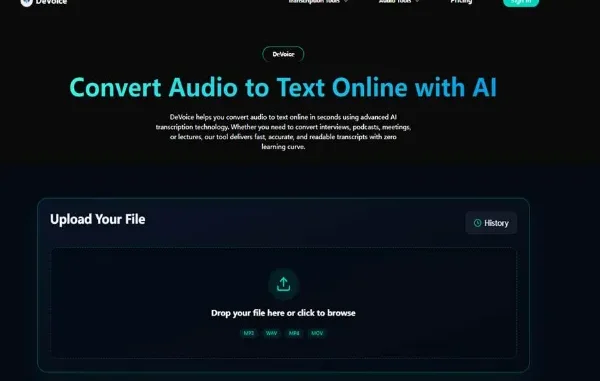
My initial thought when I began to use DeVoice was that I wanted to have an expediency into taking meeting notes. I had not imagined that it would entirely influence the way I handle information.
But that’s what modern audio to text tools are doing in 2026. They are not just saving time. They are changing workflows.
We speak faster than we type. We think faster than we write. The problem has always been capture and structure. Now AI speech recognition systems solve that gap in seconds.
Even when you operate with voice material like the pods, Zoom sessions, interviews, lectures, or videos, you already do create valuable data. The question is: into something usable are you turning it.
Let’s look at how the industry evolved and which tools are leading the shift.
Why Audio to Text Is No Longer Optional
Voice is now everywhere.
Remote meetings.
Online courses.
Voice memos.
Video marketing.
Customer support calls.
But search engines don’t index audio. AI systems can’t analyze sound without transcription. And teams can’t quickly scan a 60-minute call recording.
That’s why audio to text tools are becoming infrastructure, not convenience.
When you convert audio file to text online, you turn unstructured voice into structured, searchable, reusable data.
In simple terms:
Audio is input.
Text is leverage.
1. DeVoice – Built for Speed, Not Complexity
Some tools try to impress you with dashboards and advanced settings. But most users don’t want complexity. They want results.
That’s where DeVoice stands out.
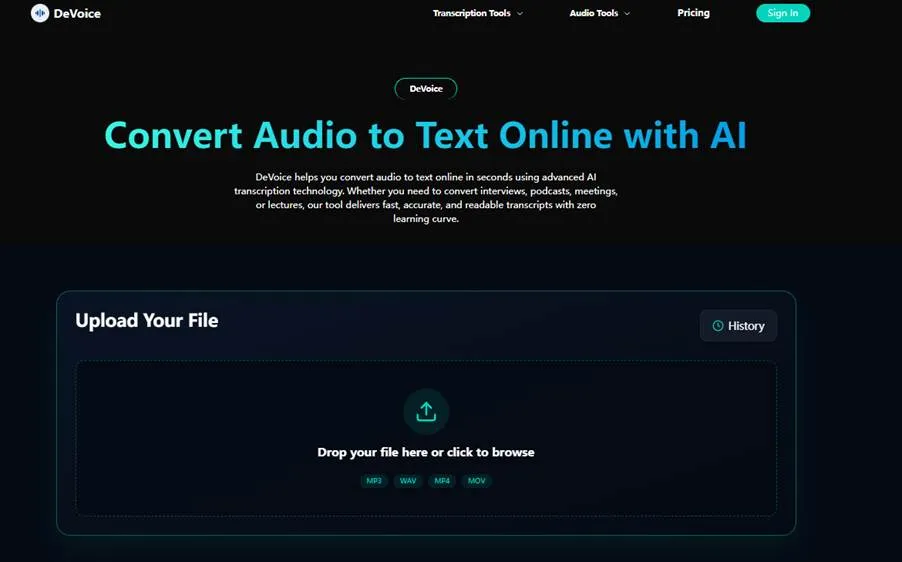
The platform focuses on fast processing and clean transcripts. It uses automatic speech recognition (ASR) models trained on multilingual datasets and applies natural language processing (NLP) to improve punctuation and formatting.
What I like most is the simplicity.
You upload.
You convert.
You download.
No learning curve.
If your goal is to convert speech to text automatically for content creation, documentation, or SEO repurposing, this approach works.
In my experience, the biggest productivity boost comes from consistency. A tool that processes files quickly encourages you to use it daily. That’s how audio to text becomes part of your workflow instead of a one-time experiment.
2. Descript – Editing Meets Transcription
Descript takes a different approach.
Instead of treating transcription as the final output, it treats it as an editing layer.
Once your recording is processed, you can edit the audio by editing the text. This combines transcription with non-linear editing, which is helpful for podcasters and video creators.
If you often generate captions for videos or need quick content cuts, this hybrid workflow is powerful.
However, if you simply want a free audio to text converter to extract transcripts fast, it might feel heavier than necessary.
3. Otter – Collaboration First
Otter became popular for meetings.
Its strength lies in real-time transcription and searchable team archives. It focuses heavily on speaker diarization (identifying different voices) and collaborative editing.
For teams, this matters.
But I’ve noticed that many solo creators don’t need all that structure. They just need to convert audio recording to text free and move on.
Still, for remote companies, Otter remains one of the key players in the audio to text ecosystem.
4. Sonix – Language and Export Flexibility
If your work crosses borders, language support matters.
Sonix offers broad multilingual transcription and flexible export formats, including subtitles and SRT files.
For content localization, that’s useful.
But pricing models can increase quickly depending on usage volume.
In my view, this tool fits agencies and production teams more than individual creators.
5. Rev – When Human Accuracy Still Matters
Rev offers both AI transcription and human-edited services.
While AI has improved dramatically, there are still cases—legal documentation, compliance reporting, medical dictation—where human verification is preferred.
If precision is mission-critical, hybrid systems remain relevant.
But for everyday business use, AI-based audio to text is now accurate enough for most users.
The Real Question: What Do You Actually Need?
After testing many platforms, I realized something important.
Most people don’t need advanced analytics.
They don’t need API integrations.
They don’t need enterprise dashboards.
They need three things:
- Speed
- Accuracy
- Clean output
If you can convert audio file to text online in seconds and download a readable transcript, you’ve already won.
The rest is bonus.
Where Audio to Text Is Headed in 2026
The next stage of audio to text tools is not just transcription.
It’s intelligent transformation.
We’re already seeing systems that:
- Remove filler words automatically
- Summarize transcripts
- Extract action items
- Detect sentiment
- Organize content into structured sections
Speech-to-text engines are evolving into workflow engines.
In the near future, transcription won’t just give you text. It will give you decisions.
My Advice If You’re Just Starting
If you’ve never integrated audio to text into your routine, start small.
Upload one meeting.
Upload one podcast.
Upload one lecture.
See how much time you save.
From my experience, once you see how easy it is to convert speech to text automatically, you stop thinking of transcription as extra work.
It becomes the first step after recording anything.
And that’s when productivity compounds.
Final Thoughts
We used to treat typing as the default way to create written content.
Now speaking is faster.
The tools have caught up.
If you create voice content in any form, using an audio to text platform is not optional—it’s strategic.
Personally, I recommend testing DeVoice if you want something clean, fast, and easy to adopt. Register, upload a file, and see how quickly your recordings turn into structured, usable text.
Once you experience modern transcription workflows, you won’t go back to manual typing.
In 2026, smart systems don’t replace your thinking.
They remove friction.
And that’s exactly what great audio to text tools are designed to do.
Related posts:
 Smart Video Editing Without Cost: A Practical Guide for Modern Creators
 Why AIEnhancer Turns Interior Photos Into Realistic Style Transformations
 AI ETL: How Artificial Intelligence Automates Data Pipelines
 The future of sales is WhatsApp automation for business
 9 Best AI-Powered Fundamental Analysis Platforms for 2025
Leave a Reply